

Moving between sections keeps anything you have typed but not saved yet. Saving one section never changes the others.
Brand used to be its own tab in the agent editor, and the landing page and embed widget were two separate Distribute cards. Old links still work: a link to the Brand tab now opens Distribute → Web & Embed → Brand.
Editor Layout
The agent editor has eight tabs:- Configure: name, description, model, temperature and voice settings
- Variables: named values such as a visitor’s name or plan, used as
{{name}}in prompts (see Variables below) - Prompt: system prompt and prompt sections
- Knowledge: linked knowledge bases
- Tools: agent capabilities and behaviours
- Preview: test the agent inside the editor
- Distribute: Web & Embed, WhatsApp and WhatsApp Business
- Contacts: everyone this agent has spoken to
Landing Page
Publishing
Choose the URL slug, then Publish to make the page live at/a/your-agent-slug. Publishing here is also what makes the embed widget available. See Publishing Agents for the full workflow.
Landing page and access
- Public display name / description: optional overrides of the agent’s name and description. Leave them blank to use the agent’s own.
- Require login before chatting: visitors must sign in first. An agent that requires login can’t be embedded anonymously.
- Require organization membership and Restrict to specific groups: limit the page to members of your organization, or to chosen groups.
Visitor form
A short form that asks visitors for your variables before the chat starts. Turn on Show onboarding form before chat, then set its title and description. The form needs at least one variable defined on the Variables tab.Welcome message
The first message of every new conversation.- Disabled: no welcome message.
- Fixed: sent exactly as written, with
{{variable}}placeholders filled in. No AI call and no credits. - Generated: the AI writes a new welcome for every conversation from your generation prompt, so there is no fixed text to edit in this mode. Each new conversation makes one AI call, billed in credits.
Conversation starters and other settings
- Conversation starters: up to five suggested first messages shown in the empty chat. AI Suggest proposes some.
- Input placeholder text: the hint inside the message box.
- Agent unavailable message: shown to visitors when your organization has run out of credits.
Embed Widget
The embed widget is available once the agent is published and does not require login.- Position: bottom right or bottom left.
- Button color and Button icon: the floating launcher’s look.
- Widget width / height: the size of the chat panel, in pixels.
- Allowed domains: only these domains can load the widget, one per line. Leave it empty to allow any domain.
- Embed snippet: copy it into your site’s HTML before the closing
</body>tag. Full page preview and Floating widget preview open it in a new tab.
Brand
- Logo and Avatar: shown on the public page, its chat and the widget.
- Generate colors from logo: derives brand colours from your uploaded logo, which you can then adjust.
- Accent color: used for buttons, the send icon and interactive highlights. Background, text and surface colours follow platform defaults. Where the accent is used as text, the platform darkens or lightens it as needed so it stays readable.
- Title font / Body font: Editorial Serif, Clean Sans, Bold Display or Warm Humanist.
Variables
Variables are named values that personalise every conversation, such as a visitor’s name or plan. Define them on the Variables tab and use them in a prompt or the welcome message as{{name}}. A value can reach the agent in two ways:
- Collected from visitors: on the landing page and the embed widget, the visitor form asks for them before the chat starts. The Variables tab has a Set up the visitor form button that opens this section.
- Passed programmatically: your own code supplies them through the API, as
variableswhen it starts a conversation or sends a message. Variable values are supplied by the visitor or the caller and are not verified, so don’t use them for anything that must be trusted, such as a customer tier that unlocks behaviour. See Prompt Configuration.
Organization Defaults
Organization owners and admins can set defaults from Settings → Organization → Brand Defaults. These act as the fallback for any field an agent doesn’t override, so a consistent look carries over to new agents without per-agent setup. Agent-level values win where both are set.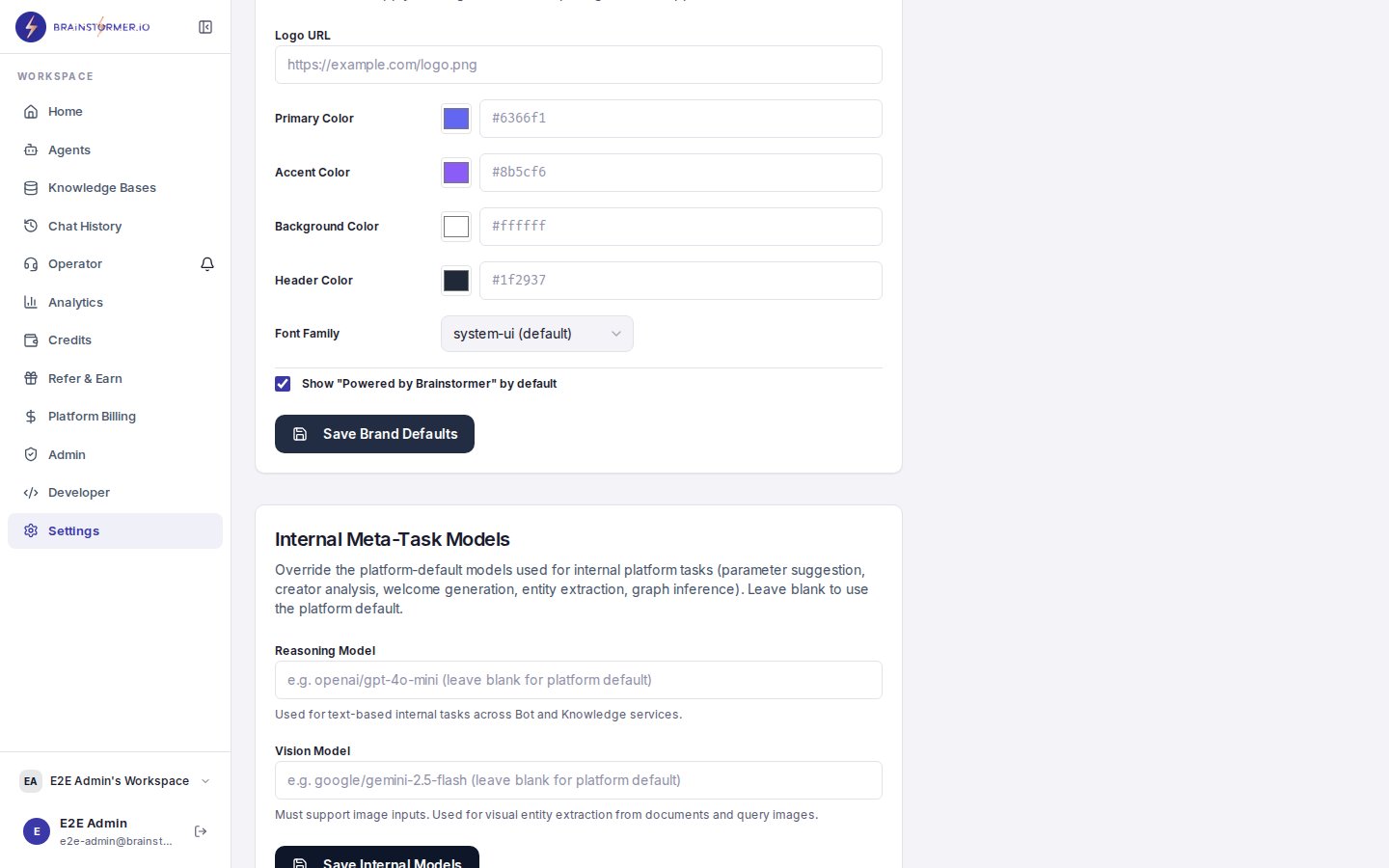
Brand Defaults section in Organization Settings