> ## Documentation Index
> Fetch the complete documentation index at: https://docs.brainstormer.io/llms.txt
> Use this file to discover all available pages before exploring further.
# Knowledge Base Analytics
> See what your knowledge base is retrieving, which sources actually help, and how retrieval improves as customers use it.
Every knowledge base has an **Analytics** dashboard (open a knowledge base → **Analytics**) that shows how it is being used, which content is working, and where the gaps are. It turns the questions your customers ask into a picture of what to improve next.
 ## Usage overview
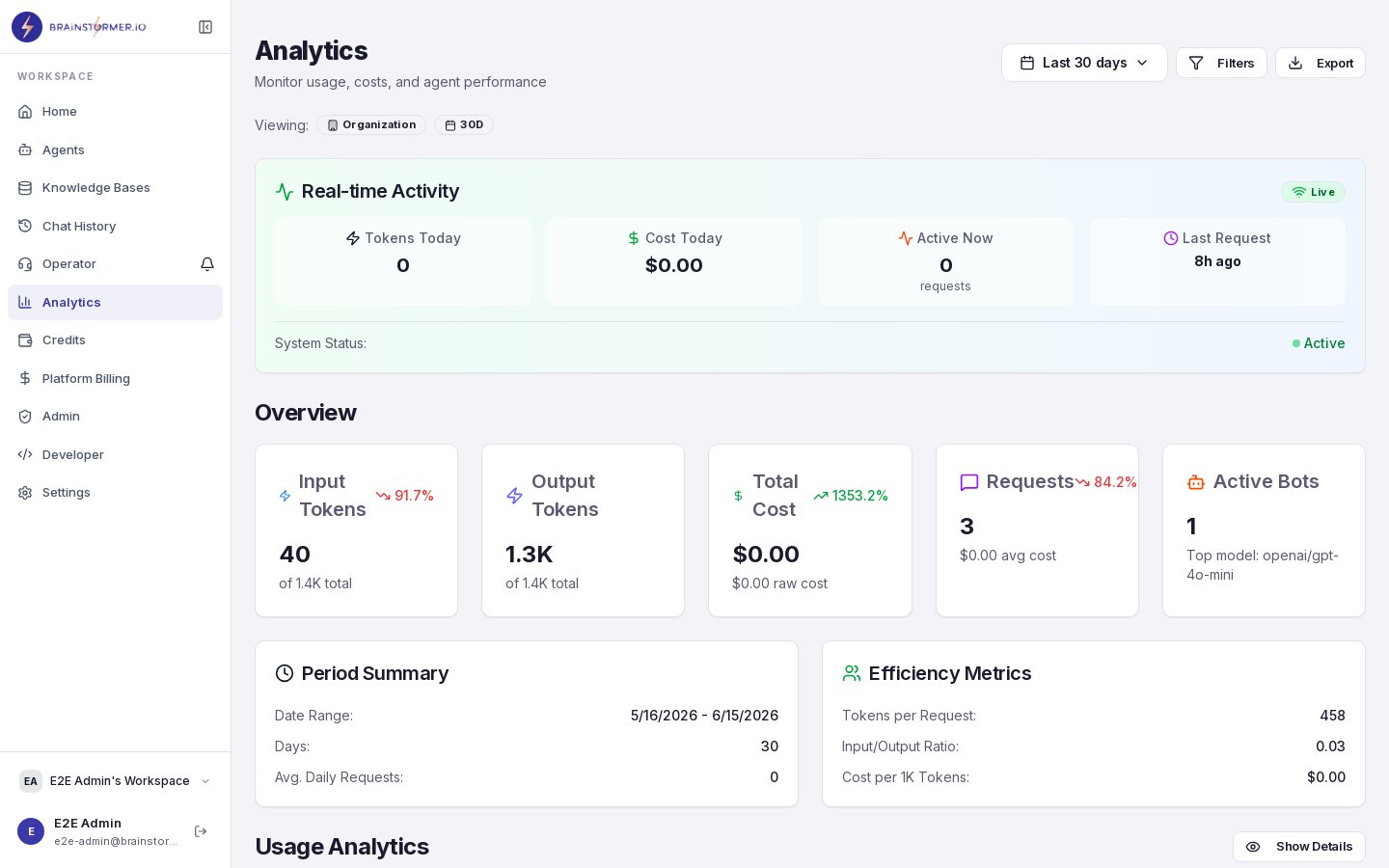
The top of the dashboard summarizes retrieval activity over the last 30 days:
* **Total queries** — how often the knowledge base was searched
* **Average response time** — retrieval latency
* **Top chunk retrievals** — how many times the most-used chunks were pulled
* **Average relevance** — mean similarity of retrieved content
Below the stats you'll find **query trends** over time, an **agent usage** breakdown (which agents query this knowledge base), **content utilization** (which documents are pulling their weight vs. sitting unused), and **cost attribution** (embedding and vector-store cost for this knowledge base).
## Outcome Attribution
This section answers the question *"is my knowledge base actually helping?"* by joining what was retrieved to what customers did next — thumbs, clicks, and conversions.
* **Resource Performance** — for each document: how often it was surfaced (impressions), thumbs up/down, a helpfulness rate, and a performance tier:
| Tier | Meaning |
| ------------------- | ----------------------------------------------- |
| **Strong** | Confidently high helpfulness |
| **Neutral** | Middling or mixed feedback |
| **Underperforming** | Confidently low — a candidate to fix or replace |
| **Low data** | Not enough feedback yet to judge |
* **Feedback-Driven Gaps** — the questions your customers asked that earned a **thumbs down**, ranked by how often they failed. This is the most actionable list on the page: it tells you exactly what content to add or improve next.
* **Engagement Funnel** — impression → click → conversion on the resources your agents surface, with click-through and conversion rates. For commerce knowledge bases this shows whether retrieved products actually get clicked and bought.
The Feedback-Driven Gaps list is where knowledge bases grow. Each gap you fill makes the next answer better — and feeds the learning loop below.
## Learning Progress
Retrieval improves on its own as your knowledge base is used. The **Learning Progress** card shows how much signal you've collected and what it unlocks.
* **Progress to the next unlock** — a weighted score built from your customer signals. Not all signals count equally: a human correction outweighs a thumbs-up, which outweighs a click.
* **What's feeding the model** — a breakdown by signal type (thumbs, clicks, conversions, human corrections). A **Training mode** row is reserved for a future feature where you answer or review questions directly — the strongest signal of all.
* **Learning stages** — three milestones that unlock as signal accrues:
1. **Smart ranking** — resources your customers engage with are automatically boosted in retrieval.
2. **Learned weights** — default content weights are replaced with ones learned from your customers.
3. **Custom reranker** — a reranking model tuned on *your* business — something a competitor can't copy.
### Turning learning off
Smart ranking is **on by default**. If you'd rather keep full manual control over how content is ranked, use the **Apply learning to ranking** switch on the card to turn it off for that knowledge base. With it off, retrieval uses only semantic + keyword relevance and your content weights — no engagement boost.
Learning is **floor-gated per resource**: a document must accumulate enough evidence before its engagement can move ranking, so a handful of early clicks never skews results. New knowledge bases show "Collecting signal" until enough usage accrues.
## Usage overview
The top of the dashboard summarizes retrieval activity over the last 30 days:
* **Total queries** — how often the knowledge base was searched
* **Average response time** — retrieval latency
* **Top chunk retrievals** — how many times the most-used chunks were pulled
* **Average relevance** — mean similarity of retrieved content
Below the stats you'll find **query trends** over time, an **agent usage** breakdown (which agents query this knowledge base), **content utilization** (which documents are pulling their weight vs. sitting unused), and **cost attribution** (embedding and vector-store cost for this knowledge base).
## Outcome Attribution
This section answers the question *"is my knowledge base actually helping?"* by joining what was retrieved to what customers did next — thumbs, clicks, and conversions.
* **Resource Performance** — for each document: how often it was surfaced (impressions), thumbs up/down, a helpfulness rate, and a performance tier:
| Tier | Meaning |
| ------------------- | ----------------------------------------------- |
| **Strong** | Confidently high helpfulness |
| **Neutral** | Middling or mixed feedback |
| **Underperforming** | Confidently low — a candidate to fix or replace |
| **Low data** | Not enough feedback yet to judge |
* **Feedback-Driven Gaps** — the questions your customers asked that earned a **thumbs down**, ranked by how often they failed. This is the most actionable list on the page: it tells you exactly what content to add or improve next.
* **Engagement Funnel** — impression → click → conversion on the resources your agents surface, with click-through and conversion rates. For commerce knowledge bases this shows whether retrieved products actually get clicked and bought.
The Feedback-Driven Gaps list is where knowledge bases grow. Each gap you fill makes the next answer better — and feeds the learning loop below.
## Learning Progress
Retrieval improves on its own as your knowledge base is used. The **Learning Progress** card shows how much signal you've collected and what it unlocks.
* **Progress to the next unlock** — a weighted score built from your customer signals. Not all signals count equally: a human correction outweighs a thumbs-up, which outweighs a click.
* **What's feeding the model** — a breakdown by signal type (thumbs, clicks, conversions, human corrections). A **Training mode** row is reserved for a future feature where you answer or review questions directly — the strongest signal of all.
* **Learning stages** — three milestones that unlock as signal accrues:
1. **Smart ranking** — resources your customers engage with are automatically boosted in retrieval.
2. **Learned weights** — default content weights are replaced with ones learned from your customers.
3. **Custom reranker** — a reranking model tuned on *your* business — something a competitor can't copy.
### Turning learning off
Smart ranking is **on by default**. If you'd rather keep full manual control over how content is ranked, use the **Apply learning to ranking** switch on the card to turn it off for that knowledge base. With it off, retrieval uses only semantic + keyword relevance and your content weights — no engagement boost.
Learning is **floor-gated per resource**: a document must accumulate enough evidence before its engagement can move ranking, so a handful of early clicks never skews results. New knowledge bases show "Collecting signal" until enough usage accrues.