> ## Documentation Index
> Fetch the complete documentation index at: https://docs.brainstormer.io/llms.txt
> Use this file to discover all available pages before exploring further.
# Overage and Invoices
> What happens when you exceed your credit allocation, overage rates, and invoice management.
When your organization's credit usage exceeds your plan's allocation, overage policies ensure your agents continue operating while keeping costs transparent.
## How Overage Works
Each billing plan includes a monthly credit allocation. When your organization consumes more credits than allocated:
1. **Operations continue** — Your agents keep working without interruption
2. **Overage is tracked** — Additional credit consumption beyond your allocation is recorded
3. **Overage charges apply** — Extra usage is billed at the overage rate for your plan
Brainstormer prioritizes service continuity. Your agents will not stop mid-conversation because of a credit limit. Overage charges are tracked and settled through your billing cycle.
## Monitoring Your Usage
To avoid unexpected overage charges, monitor your usage proactively:
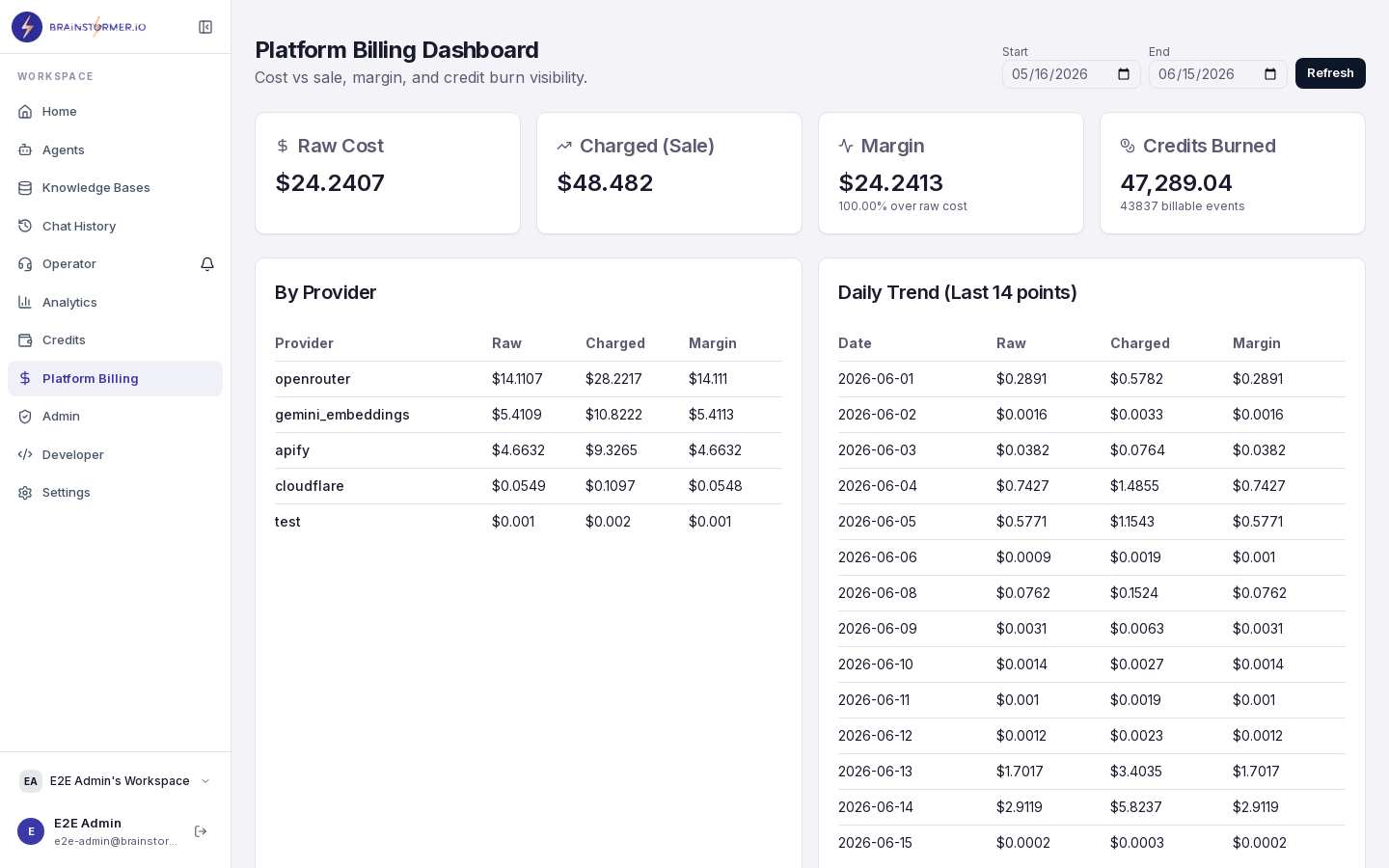 ### Credit Balance
The **Billing** page shows your current credit balance with a visual progress bar indicating how much of your allocation you have used.
* **Green** — Within normal usage range
* **Yellow** — Approaching your allocation limit
* **Red** — At or exceeding your allocation
### Usage Alerts
Set up usage alerts to be notified when you reach certain thresholds:
* **75% usage** — Early warning to review usage patterns
* **90% usage** — Strong signal to consider upgrading or optimizing
* **100% usage** — Overage has begun
### Daily Trend
The daily usage trend chart shows your consumption pattern over time, helping you predict whether you will stay within your allocation for the current period.
## What Gets Charged
Overage charges apply to the same operations as regular credit consumption:
| Operation | Description |
| ------------------- | ---------------------------------------------- |
| Chat completions | AI model responses from your agents |
| Document processing | Embedding generation when uploading KB content |
| Vector operations | Search queries and storage operations |
| File operations | Upload, download, and storage of attachments |
| Voice operations | Text-to-speech and voice cloning |
See [Credits and Usage](/platform-guide/billing/credits-usage) for the full list of billable operations and how credit amounts are calculated.
## Managing Overage
You have several options for managing overage:
If you consistently exceed your allocation, upgrade to a plan with more credits. The upgrade takes effect immediately, giving you additional credits for the current period.
Review your per-agent and per-operation usage breakdowns to find optimization opportunities:
* Switch high-volume agents to more cost-effective models
* Use fixed-mode prompts instead of generated where possible
* Remove unused or duplicate knowledge base content
Configure spending limits to cap overage at a specific amount. When the limit is reached, operations that consume credits will be restricted until the next billing cycle or until the limit is raised.
## Invoices
Invoices are generated at the end of each billing cycle and include:
### Invoice Contents
* **Plan charges** — Your base subscription fee
* **Credit allocation** — Credits included with your plan
* **Usage summary** — Total credits consumed during the period
* **Overage charges** — Additional credits consumed beyond allocation
* **Itemized breakdown** — Usage by operation type and provider
### Viewing Invoices
1. Navigate to **Billing** in the sidebar.
2. Select the **Invoices** tab.
3. View past invoices with downloadable PDF receipts.
### Invoice Reconciliation
Each invoice line item can be traced back to the credit ledger:
* Every overage charge maps to specific `external_cost_events` in the system
* The credit ledger shows the exact transactions that contributed to the total
* Provider-level breakdowns show costs by AI provider, vector storage, file storage, etc.
Download your invoice and review the provider breakdown section. This shows which providers (OpenRouter, Pinecone, S3, ElevenLabs) contributed most to your costs, helping you make informed optimization decisions.
## Payment
Billing and payment processing will be integrated with Stripe for:
* Credit card and bank payments
* Automatic billing at the end of each cycle
* Credit purchase for wallet top-ups
* Refund processing
Stripe integration for automated payment processing is planned. Contact your platform administrator for current billing arrangements.
## Billing Roles
Only organization **owners** can:
* View detailed billing information
* Purchase credits
* Change plans
* View and download invoices
Organization admins can view usage summaries but cannot make billing changes. Members and viewers do not have access to billing information.
## Credit Ledger Auditability
For full transparency, the credit ledger records every transaction:
```
Transaction: DEBIT
Amount: 0.04 credits
Operation: chat_completion
Provider: openrouter
Model: gpt-4o
Agent: Customer Support Bot
Balance before: 245.50 credits
Balance after: 245.46 credits
Timestamp: 2026-04-05T14:32:00Z
```
The ledger is immutable — entries are never modified or deleted. This provides a complete audit trail for compliance and dispute resolution.
### Credit Balance
The **Billing** page shows your current credit balance with a visual progress bar indicating how much of your allocation you have used.
* **Green** — Within normal usage range
* **Yellow** — Approaching your allocation limit
* **Red** — At or exceeding your allocation
### Usage Alerts
Set up usage alerts to be notified when you reach certain thresholds:
* **75% usage** — Early warning to review usage patterns
* **90% usage** — Strong signal to consider upgrading or optimizing
* **100% usage** — Overage has begun
### Daily Trend
The daily usage trend chart shows your consumption pattern over time, helping you predict whether you will stay within your allocation for the current period.
## What Gets Charged
Overage charges apply to the same operations as regular credit consumption:
| Operation | Description |
| ------------------- | ---------------------------------------------- |
| Chat completions | AI model responses from your agents |
| Document processing | Embedding generation when uploading KB content |
| Vector operations | Search queries and storage operations |
| File operations | Upload, download, and storage of attachments |
| Voice operations | Text-to-speech and voice cloning |
See [Credits and Usage](/platform-guide/billing/credits-usage) for the full list of billable operations and how credit amounts are calculated.
## Managing Overage
You have several options for managing overage:
If you consistently exceed your allocation, upgrade to a plan with more credits. The upgrade takes effect immediately, giving you additional credits for the current period.
Review your per-agent and per-operation usage breakdowns to find optimization opportunities:
* Switch high-volume agents to more cost-effective models
* Use fixed-mode prompts instead of generated where possible
* Remove unused or duplicate knowledge base content
Configure spending limits to cap overage at a specific amount. When the limit is reached, operations that consume credits will be restricted until the next billing cycle or until the limit is raised.
## Invoices
Invoices are generated at the end of each billing cycle and include:
### Invoice Contents
* **Plan charges** — Your base subscription fee
* **Credit allocation** — Credits included with your plan
* **Usage summary** — Total credits consumed during the period
* **Overage charges** — Additional credits consumed beyond allocation
* **Itemized breakdown** — Usage by operation type and provider
### Viewing Invoices
1. Navigate to **Billing** in the sidebar.
2. Select the **Invoices** tab.
3. View past invoices with downloadable PDF receipts.
### Invoice Reconciliation
Each invoice line item can be traced back to the credit ledger:
* Every overage charge maps to specific `external_cost_events` in the system
* The credit ledger shows the exact transactions that contributed to the total
* Provider-level breakdowns show costs by AI provider, vector storage, file storage, etc.
Download your invoice and review the provider breakdown section. This shows which providers (OpenRouter, Pinecone, S3, ElevenLabs) contributed most to your costs, helping you make informed optimization decisions.
## Payment
Billing and payment processing will be integrated with Stripe for:
* Credit card and bank payments
* Automatic billing at the end of each cycle
* Credit purchase for wallet top-ups
* Refund processing
Stripe integration for automated payment processing is planned. Contact your platform administrator for current billing arrangements.
## Billing Roles
Only organization **owners** can:
* View detailed billing information
* Purchase credits
* Change plans
* View and download invoices
Organization admins can view usage summaries but cannot make billing changes. Members and viewers do not have access to billing information.
## Credit Ledger Auditability
For full transparency, the credit ledger records every transaction:
```
Transaction: DEBIT
Amount: 0.04 credits
Operation: chat_completion
Provider: openrouter
Model: gpt-4o
Agent: Customer Support Bot
Balance before: 245.50 credits
Balance after: 245.46 credits
Timestamp: 2026-04-05T14:32:00Z
```
The ledger is immutable — entries are never modified or deleted. This provides a complete audit trail for compliance and dispute resolution.