> ## Documentation Index
> Fetch the complete documentation index at: https://docs.brainstormer.io/llms.txt
> Use this file to discover all available pages before exploring further.
# Credits and Usage
> How credits work, what they cost, and how to track your usage.
Brainstormer uses a credit-based billing system that converts all platform usage into a single, transparent unit. Every AI call, embedding generation, vector operation, and file storage action is tracked and charged in credits.
## How Credits Work
### Credit Value
By default, **1 credit = \$0.50 USD**. This value is configurable by platform administrators.
### Margin Multiplier
The platform applies a **margin multiplier** (default: 2x) to the raw provider cost before converting to credits. This covers platform overhead and infrastructure.
### Credit Calculation
For every billable operation:
1. **Raw cost** — The actual cost from the AI provider (e.g., \$0.01 for a chat completion)
2. **Charged cost** — Raw cost multiplied by the margin (e.g., $0.01 x 2.0 = $0.02)
3. **Credits burned** — Charged cost divided by credit value (e.g., $0.02 / $0.50 = 0.04 credits)
The margin multiplier and credit value are platform-wide settings configured by superadmins. All organizations use the same rates.
## What Consumes Credits
Credits are consumed by various operations across the platform:
| Operation | Provider | What It Covers |
| ------------------------------ | --------------- | ---------------------------------------------------------- |
| **Chat completions** | OpenRouter | Every message your agent generates |
| **Welcome message generation** | OpenRouter | Generated-mode welcome messages (fixed mode is free) |
| **Document embeddings** | Gemini / OpenAI | Converting content to vectors when processing KB documents |
| **Vector operations** | Pinecone | Upsert, query, delete operations on vector storage |
| **File storage** | AWS S3 | Upload, download, delete, and egress of stored files |
| **Voice synthesis** | ElevenLabs | Text-to-speech generation and voice cloning |
| **Transcription** | OpenAI Whisper | Audio and video transcription |
Fixed-mode prompts (welcome messages, system prompts) do not consume credits because they do not call an AI model. Only generated-mode prompts that trigger an LLM call are billed.
 ## Credit Wallet
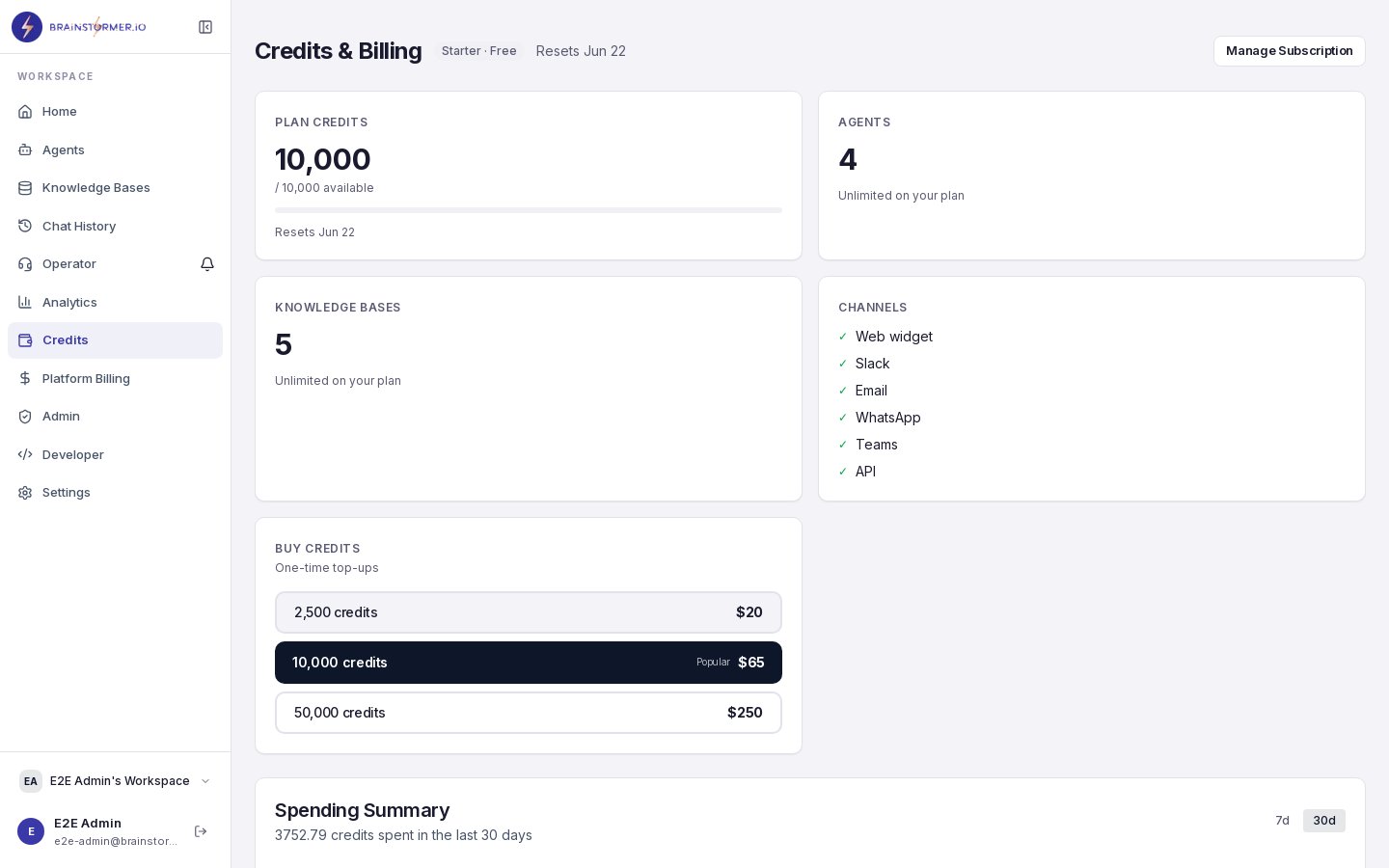
Each organization has a **credit wallet** that tracks:
* **Current balance** — How many credits are available
* **Total credits purchased** — Lifetime credits added to the wallet
* **Total credits used** — Lifetime credits consumed
The wallet is debited atomically with every billable operation — the credit deduction happens in the same database transaction as the cost event recording, ensuring accurate tracking.
## Tracking Usage
### Usage Dashboard
Navigate to **Billing** in the sidebar to see your organization's usage:
## Credit Wallet
Each organization has a **credit wallet** that tracks:
* **Current balance** — How many credits are available
* **Total credits purchased** — Lifetime credits added to the wallet
* **Total credits used** — Lifetime credits consumed
The wallet is debited atomically with every billable operation — the credit deduction happens in the same database transaction as the cost event recording, ensuring accurate tracking.
## Tracking Usage
### Usage Dashboard
Navigate to **Billing** in the sidebar to see your organization's usage:
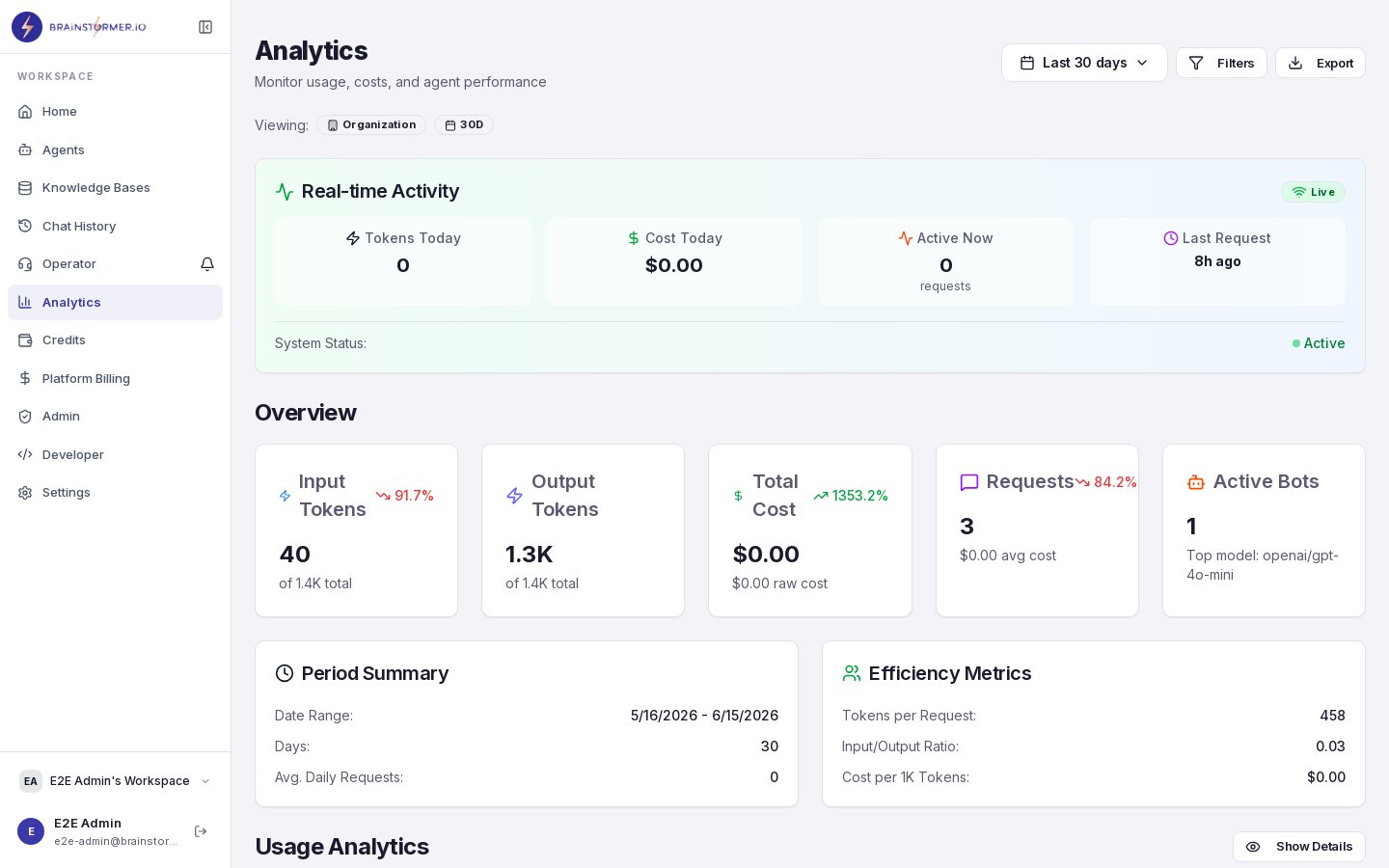 * **Credit balance** with progress bar showing usage against your plan allocation
* **Usage breakdown** by operation type (chat, embeddings, vector ops, storage)
* **Daily usage trend** — See how your usage patterns over time
* **Per-agent breakdown** — Which agents consume the most credits
### Per-Conversation Cost
Each conversation tracks token usage and cost:
* Input tokens and output tokens per message
* Cost per message based on the model's pricing
* Total conversation cost
You can see this in the conversation details view.
## Credit Ledger
Every credit transaction is recorded in an **immutable credit ledger**. Each entry includes:
* **Transaction type** — Debit (usage) or credit (purchase, refund)
* **Amount** — Credits consumed or added
* **Balance before and after** — Running balance at the time of transaction
* **Reference** — Link to the specific operation (chat message, embedding batch, etc.)
* **Timestamp** — When the transaction occurred
The ledger is append-only — entries are never modified or deleted, providing a complete audit trail.
If you notice unexpected credit consumption, check the credit ledger for detailed transaction history. Each entry links back to the specific operation that triggered the charge.
## Cost Optimization Tips
Model pricing varies dramatically. GPT-3.5 Turbo or Gemini Flash can be 10-50x cheaper than GPT-4 Turbo for simple use cases. Match your model to the complexity of the task.
Fixed welcome messages and static system prompts do not call the AI model and cost nothing. Only use generated mode when you genuinely need dynamic, context-aware content.
Well-organized, relevant content reduces the number of search queries needed and improves hit rates. Remove outdated or duplicate content that wastes embedding and storage credits.
Some agents may consume far more credits than others. Use the per-agent breakdown to identify high-cost agents and optimize their model selection or prompt length.
## Superadmin Billing Dashboard
Platform superadmins have access to an additional billing dashboard at **Admin > Billing** that shows:
* **Raw cost vs. charged revenue** — Platform margin visibility
* **Provider breakdown** — Costs by provider (OpenRouter, Pinecone, S3, etc.)
* **Daily trend** — Revenue and cost over time
* **Top organizations** — Which orgs consume the most
* **Plan mix** — Distribution of organizations across plans
This dashboard is only visible to users with the superadmin platform role.
* **Credit balance** with progress bar showing usage against your plan allocation
* **Usage breakdown** by operation type (chat, embeddings, vector ops, storage)
* **Daily usage trend** — See how your usage patterns over time
* **Per-agent breakdown** — Which agents consume the most credits
### Per-Conversation Cost
Each conversation tracks token usage and cost:
* Input tokens and output tokens per message
* Cost per message based on the model's pricing
* Total conversation cost
You can see this in the conversation details view.
## Credit Ledger
Every credit transaction is recorded in an **immutable credit ledger**. Each entry includes:
* **Transaction type** — Debit (usage) or credit (purchase, refund)
* **Amount** — Credits consumed or added
* **Balance before and after** — Running balance at the time of transaction
* **Reference** — Link to the specific operation (chat message, embedding batch, etc.)
* **Timestamp** — When the transaction occurred
The ledger is append-only — entries are never modified or deleted, providing a complete audit trail.
If you notice unexpected credit consumption, check the credit ledger for detailed transaction history. Each entry links back to the specific operation that triggered the charge.
## Cost Optimization Tips
Model pricing varies dramatically. GPT-3.5 Turbo or Gemini Flash can be 10-50x cheaper than GPT-4 Turbo for simple use cases. Match your model to the complexity of the task.
Fixed welcome messages and static system prompts do not call the AI model and cost nothing. Only use generated mode when you genuinely need dynamic, context-aware content.
Well-organized, relevant content reduces the number of search queries needed and improves hit rates. Remove outdated or duplicate content that wastes embedding and storage credits.
Some agents may consume far more credits than others. Use the per-agent breakdown to identify high-cost agents and optimize their model selection or prompt length.
## Superadmin Billing Dashboard
Platform superadmins have access to an additional billing dashboard at **Admin > Billing** that shows:
* **Raw cost vs. charged revenue** — Platform margin visibility
* **Provider breakdown** — Costs by provider (OpenRouter, Pinecone, S3, etc.)
* **Daily trend** — Revenue and cost over time
* **Top organizations** — Which orgs consume the most
* **Plan mix** — Distribution of organizations across plans
This dashboard is only visible to users with the superadmin platform role.