> ## Documentation Index
> Fetch the complete documentation index at: https://docs.brainstormer.io/llms.txt
> Use this file to discover all available pages before exploring further.
# Choosing a Model
> Select from 300+ AI models to power your agent, with filters, pricing info, and recommendations.
Brainstormer gives you access to over 300 AI models through OpenRouter, a unified API that connects to all major providers. Choosing the right model affects your agent's response quality, speed, cost, and capabilities.
## How Model Selection Works
When you create or edit an agent, the model selection step lets you browse, filter, and compare available models. The platform syncs the latest model catalog from OpenRouter automatically, so new models appear as they become available.
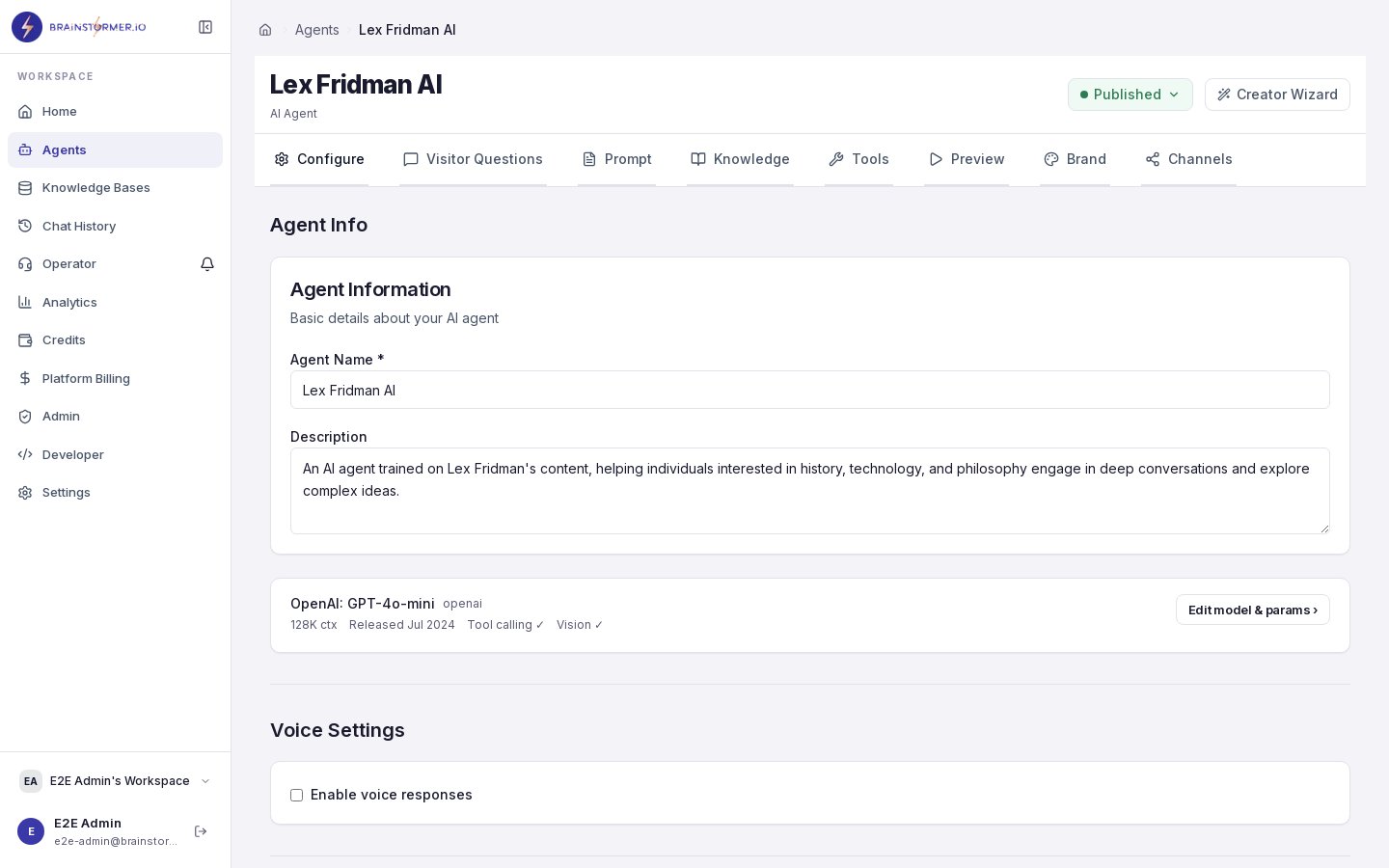 Each model listing shows:
* **Model name and provider** (e.g., `gpt-4o` by OpenAI)
* **Pricing** — Cost per input and output token
* **Context window** — Maximum token length the model can process
* **Capabilities** — Text, vision, function calling, streaming support
* **Description** — What the model is designed for
## Available Providers
GPT-4o, GPT-4 Turbo, GPT-3.5 Turbo, and more. Strong general-purpose models with excellent instruction following.
Claude 3 Opus, Sonnet, and Haiku. Known for safety, nuanced reasoning, and long context windows.
Gemini 2.0 Flash, Gemini Pro. Fast and cost-effective with strong multimodal capabilities.
Llama 3 and Llama 2 models. Open-weight models available at competitive pricing through hosted providers.
And many more providers including Mistral, Cohere, Perplexity, and DeepSeek.
## Filtering Models
With 300+ models available, filters help you narrow down your options:
* **Provider** — Show models from a specific provider only
* **Capability** — Filter for vision support, function calling, or streaming
* **Context length** — Find models with larger context windows for knowledge-heavy agents
* **Price range** — Filter by cost per token to stay within budget
The model selector uses search and autocomplete rather than a full list, so you can quickly find what you need by typing a model name or provider.
## Recommendation Engine
Brainstormer includes a model recommendation system that suggests models based on your agent's configuration:
* **Knowledge base linked?** — Recommends models with larger context windows to handle RAG-injected content
* **Budget-conscious?** — Highlights cost-effective models that still deliver good quality
* **Need speed?** — Points you toward faster models with lower latency
Recommendations appear as highlighted suggestions in the model selector.
## Model Pricing
Model costs vary significantly. Here is a rough guide:
| Tier | Examples | Typical Cost | Best For |
| ------------- | --------------------------------------- | ------------------------- | ------------------------------------------- |
| **Budget** | GPT-3.5 Turbo, Gemini Flash, Haiku | $0.10 - $0.50 / 1M tokens | High-volume, simple Q\&A |
| **Mid-range** | GPT-4o Mini, Claude Sonnet, Llama 3 70B | $0.50 - $5 / 1M tokens | Most use cases, good quality/cost balance |
| **Premium** | GPT-4 Turbo, Claude Opus, Gemini Pro | $5 - $30 / 1M tokens | Complex reasoning, high-stakes applications |
Brainstormer applies a margin multiplier to raw model costs when deducting credits from your organization wallet. The default multiplier is 2x. See [Credits and Usage](/platform-guide/billing/credits-usage) for details.
## Choosing the Right Model
Here are some guidelines based on common use cases:
Use a **mid-range model** like GPT-4o Mini or Claude Sonnet. These handle factual Q\&A well, follow system prompt instructions reliably, and keep costs manageable at volume.
Start with **Gemini 2.0 Flash** for a good balance of quality and speed. If you need more nuanced, voice-accurate responses, step up to Claude Sonnet or GPT-4o.
Use a **premium model** like GPT-4 Turbo or Claude Opus. These excel at multi-step reasoning, synthesizing information from large knowledge bases, and producing detailed, structured responses.
Use a **budget model** like GPT-3.5 Turbo or Claude Haiku. These are fast, cheap, and sufficient for straightforward question-answering with knowledge base backing.
## Changing Models
You can change your agent's model at any time:
1. Open your agent's settings.
2. Navigate to the model configuration.
3. Select a new model.
4. Save the changes.
The change takes effect immediately for new conversations. Existing conversations continue using the model they started with.
Switching to a model with a smaller context window may affect agents with large knowledge bases, as less retrieved content can fit in the context. Test after switching.
## Model Sync
The platform periodically syncs the model catalog from OpenRouter to keep pricing and availability up to date. Model details (pricing, context window, capabilities) are stored in the local database for fast access. If a model is removed from OpenRouter, it remains selectable for existing agents but will not appear for new agent creation.
Each model listing shows:
* **Model name and provider** (e.g., `gpt-4o` by OpenAI)
* **Pricing** — Cost per input and output token
* **Context window** — Maximum token length the model can process
* **Capabilities** — Text, vision, function calling, streaming support
* **Description** — What the model is designed for
## Available Providers
GPT-4o, GPT-4 Turbo, GPT-3.5 Turbo, and more. Strong general-purpose models with excellent instruction following.
Claude 3 Opus, Sonnet, and Haiku. Known for safety, nuanced reasoning, and long context windows.
Gemini 2.0 Flash, Gemini Pro. Fast and cost-effective with strong multimodal capabilities.
Llama 3 and Llama 2 models. Open-weight models available at competitive pricing through hosted providers.
And many more providers including Mistral, Cohere, Perplexity, and DeepSeek.
## Filtering Models
With 300+ models available, filters help you narrow down your options:
* **Provider** — Show models from a specific provider only
* **Capability** — Filter for vision support, function calling, or streaming
* **Context length** — Find models with larger context windows for knowledge-heavy agents
* **Price range** — Filter by cost per token to stay within budget
The model selector uses search and autocomplete rather than a full list, so you can quickly find what you need by typing a model name or provider.
## Recommendation Engine
Brainstormer includes a model recommendation system that suggests models based on your agent's configuration:
* **Knowledge base linked?** — Recommends models with larger context windows to handle RAG-injected content
* **Budget-conscious?** — Highlights cost-effective models that still deliver good quality
* **Need speed?** — Points you toward faster models with lower latency
Recommendations appear as highlighted suggestions in the model selector.
## Model Pricing
Model costs vary significantly. Here is a rough guide:
| Tier | Examples | Typical Cost | Best For |
| ------------- | --------------------------------------- | ------------------------- | ------------------------------------------- |
| **Budget** | GPT-3.5 Turbo, Gemini Flash, Haiku | $0.10 - $0.50 / 1M tokens | High-volume, simple Q\&A |
| **Mid-range** | GPT-4o Mini, Claude Sonnet, Llama 3 70B | $0.50 - $5 / 1M tokens | Most use cases, good quality/cost balance |
| **Premium** | GPT-4 Turbo, Claude Opus, Gemini Pro | $5 - $30 / 1M tokens | Complex reasoning, high-stakes applications |
Brainstormer applies a margin multiplier to raw model costs when deducting credits from your organization wallet. The default multiplier is 2x. See [Credits and Usage](/platform-guide/billing/credits-usage) for details.
## Choosing the Right Model
Here are some guidelines based on common use cases:
Use a **mid-range model** like GPT-4o Mini or Claude Sonnet. These handle factual Q\&A well, follow system prompt instructions reliably, and keep costs manageable at volume.
Start with **Gemini 2.0 Flash** for a good balance of quality and speed. If you need more nuanced, voice-accurate responses, step up to Claude Sonnet or GPT-4o.
Use a **premium model** like GPT-4 Turbo or Claude Opus. These excel at multi-step reasoning, synthesizing information from large knowledge bases, and producing detailed, structured responses.
Use a **budget model** like GPT-3.5 Turbo or Claude Haiku. These are fast, cheap, and sufficient for straightforward question-answering with knowledge base backing.
## Changing Models
You can change your agent's model at any time:
1. Open your agent's settings.
2. Navigate to the model configuration.
3. Select a new model.
4. Save the changes.
The change takes effect immediately for new conversations. Existing conversations continue using the model they started with.
Switching to a model with a smaller context window may affect agents with large knowledge bases, as less retrieved content can fit in the context. Test after switching.
## Model Sync
The platform periodically syncs the model catalog from OpenRouter to keep pricing and availability up to date. Model details (pricing, context window, capabilities) are stored in the local database for fast access. If a model is removed from OpenRouter, it remains selectable for existing agents but will not appear for new agent creation.