> ## Documentation Index
> Fetch the complete documentation index at: https://docs.brainstormer.io/llms.txt
> Use this file to discover all available pages before exploring further.
# Authentication
> How authentication works in Brainstormer, including JWT tokens, login, registration, and token refresh.
# Authentication
Brainstormer uses JWT (JSON Web Token) bearer authentication for all API requests. Tokens are obtained via the login or register endpoints and must be included in every subsequent request.
## How It Works
1. Authenticate via `POST /api/auth/login` or `POST /api/auth/register` to obtain an access token and refresh token.
2. Include the access token in the `Authorization` header of every API request.
3. When the access token expires (24 hours), use the refresh token to obtain a new pair via `POST /api/auth/refresh`.
All API requests go through the **API Gateway** on port 4000, which decodes the JWT and forwards user context to backend services.
### Optional verified identity on public endpoints
Public distribution endpoints (e.g. `GET /api/public/agents/:slug`) can optionally accept a bearer token. When present, the gateway verifies the JWT signature and forwards verified `user-id` and `organization-id` headers to the bot service so that group-restricted agents can evaluate membership. When the token is absent, public endpoints behave exactly as before and serve only agents that do not require membership or group access.
All API requests require a valid JWT token in the `Authorization: Bearer ` header. The API Gateway decodes the JWT and forwards auth context (`user-id`, `organization-id`, `user-email`, `x-platform-role`, `x-org-role`) as headers to downstream services.
## Token Format
The JWT payload contains:
Unique user identifier (UUID).
User's email address.
Platform-level role: `user` or `superadmin`.
List of organizations the user belongs to.
Organization UUID.
Organization display name.
URL-friendly organization slug.
User's role in this org: `owner`, `admin`, `editor`, or `viewer`.
Token issued-at timestamp (Unix seconds).
Token expiration timestamp (Unix seconds).
## Token Lifetimes
| Token | Default Lifetime |
| ------------- | ---------------- |
| Access token | 24 hours |
| Refresh token | 7 days |
## Header Format
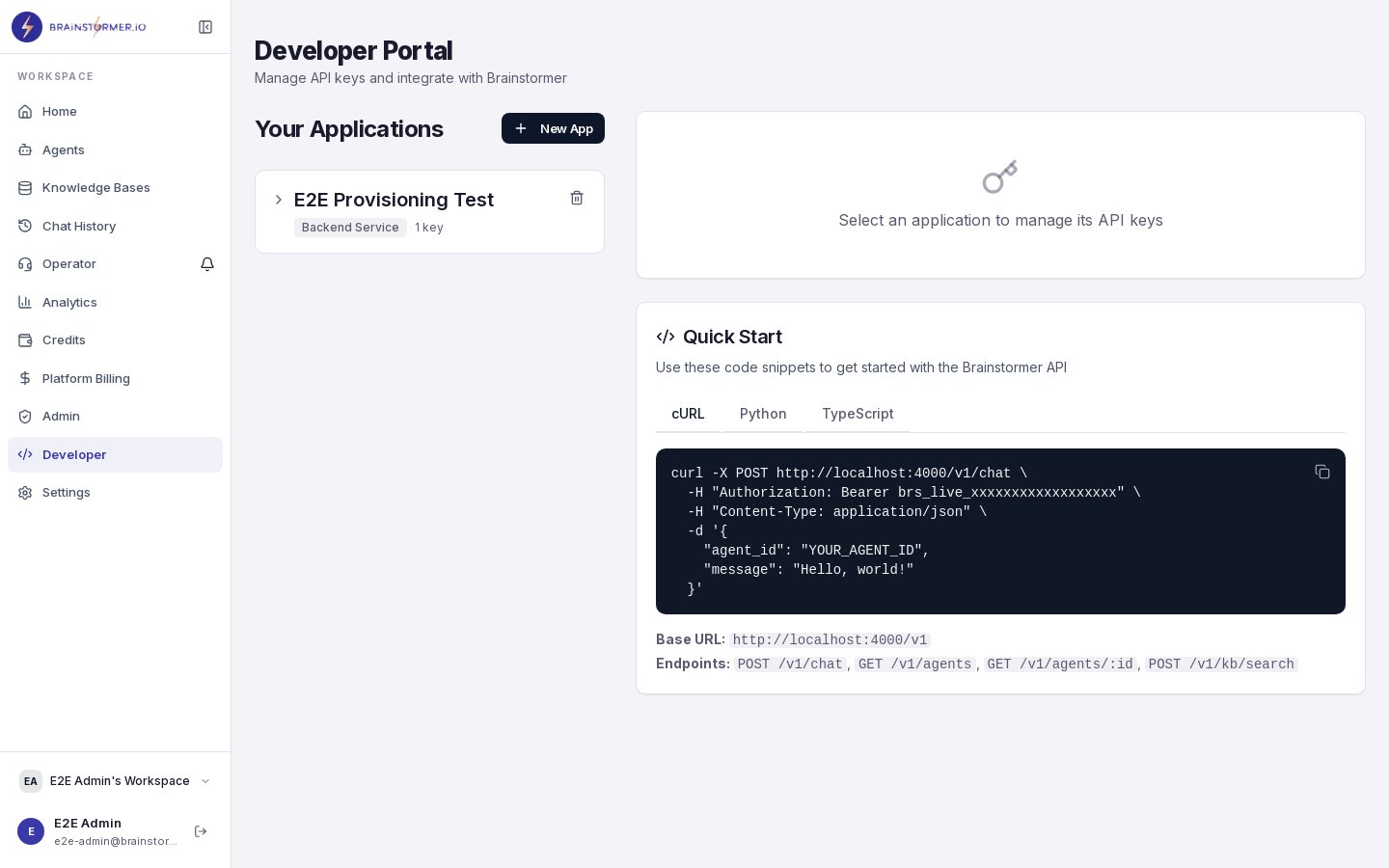
Include the access token as a Bearer token in the `Authorization` header:
```
Authorization: Bearer eyJhbGciOiJIUzI1NiIs...
```
The API Gateway also accepts the token from an `access_token` cookie as a fallback, but the `Authorization` header is the primary method.
 ## Obtaining Tokens
### Register
Create a new user account and receive tokens.
```bash curl theme={null}
curl -X POST https://your-domain.com/api/auth/register \
-H "Content-Type: application/json" \
-d '{
"email": "user@example.com",
"password": "securepassword123",
"displayName": "Jane Doe",
"organizationName": "My Workspace"
}'
```
```javascript JavaScript theme={null}
const response = await fetch("https://your-domain.com/api/auth/register", {
method: "POST",
headers: { "Content-Type": "application/json" },
body: JSON.stringify({
email: "user@example.com",
password: "securepassword123",
displayName: "Jane Doe",
organizationName: "My Workspace",
}),
});
const { data } = await response.json();
const { accessToken, refreshToken, user } = data;
```
**Response (201):**
```json theme={null}
{
"success": true,
"data": {
"user": {
"id": "550e8400-e29b-41d4-a716-446655440000",
"email": "user@example.com",
"displayName": "Jane Doe",
"emailVerified": false,
"accountType": "standard",
"platformRole": "user",
"isSuperAdmin": false,
"status": "active",
"organizations": [
{
"id": "660e8400-e29b-41d4-a716-446655440001",
"name": "My Workspace",
"slug": "my-workspace",
"role": "owner"
}
]
},
"accessToken": "eyJhbGciOiJIUzI1NiIs...",
"refreshToken": "eyJhbGciOiJIUzI1NiIs..."
}
}
```
### Login
Authenticate with email and password.
```bash curl theme={null}
curl -X POST https://your-domain.com/api/auth/login \
-H "Content-Type: application/json" \
-d '{
"email": "user@example.com",
"password": "securepassword123"
}'
```
```javascript JavaScript theme={null}
const response = await fetch("https://your-domain.com/api/auth/login", {
method: "POST",
headers: { "Content-Type": "application/json" },
body: JSON.stringify({
email: "user@example.com",
password: "securepassword123",
}),
});
const { data } = await response.json();
// data.accessToken, data.refreshToken, data.user
```
**Response (200):**
Same shape as the register response.
## Refreshing Tokens
When the access token expires, exchange the refresh token for a new pair.
```bash curl theme={null}
curl -X POST https://your-domain.com/api/auth/refresh \
-H "Content-Type: application/json" \
-d '{
"refreshToken": "eyJhbGciOiJIUzI1NiIs..."
}'
```
```javascript JavaScript theme={null}
const response = await fetch("https://your-domain.com/api/auth/refresh", {
method: "POST",
headers: { "Content-Type": "application/json" },
body: JSON.stringify({
refreshToken: storedRefreshToken,
}),
});
const { data } = await response.json();
// Store new data.accessToken and data.refreshToken
```
**Response (200):**
```json theme={null}
{
"success": true,
"data": {
"user": { ... },
"accessToken": "eyJhbGciOiJIUzI1NiIs...",
"refreshToken": "eyJhbGciOiJIUzI1NiIs..."
}
}
```
## Error Responses
| Status | Error | When |
| ------ | --------------------------------------- | ---------------------------------------------------------------------- |
| 400 | Validation Error | Missing or invalid fields in request body |
| 401 | Authentication Failed | Wrong email/password, expired token, or missing `Authorization` header |
| 401 | Missing or invalid authorization header | No Bearer token provided |
The API Gateway cryptographically verifies the JWT signature (HMAC-SHA256) on every request. Downstream services trust the gateway-forwarded identity headers and must never be exposed directly to the internet.
## Organization Context
The JWT contains all organizations the user belongs to. The **first organization** in the array is used as the primary organization for all API requests. Multi-org switching via request headers is planned for a future release.
All data in Brainstormer is scoped to an organization. When you create agents, knowledge bases, or other resources, they are automatically associated with your primary organization.
## Obtaining Tokens
### Register
Create a new user account and receive tokens.
```bash curl theme={null}
curl -X POST https://your-domain.com/api/auth/register \
-H "Content-Type: application/json" \
-d '{
"email": "user@example.com",
"password": "securepassword123",
"displayName": "Jane Doe",
"organizationName": "My Workspace"
}'
```
```javascript JavaScript theme={null}
const response = await fetch("https://your-domain.com/api/auth/register", {
method: "POST",
headers: { "Content-Type": "application/json" },
body: JSON.stringify({
email: "user@example.com",
password: "securepassword123",
displayName: "Jane Doe",
organizationName: "My Workspace",
}),
});
const { data } = await response.json();
const { accessToken, refreshToken, user } = data;
```
**Response (201):**
```json theme={null}
{
"success": true,
"data": {
"user": {
"id": "550e8400-e29b-41d4-a716-446655440000",
"email": "user@example.com",
"displayName": "Jane Doe",
"emailVerified": false,
"accountType": "standard",
"platformRole": "user",
"isSuperAdmin": false,
"status": "active",
"organizations": [
{
"id": "660e8400-e29b-41d4-a716-446655440001",
"name": "My Workspace",
"slug": "my-workspace",
"role": "owner"
}
]
},
"accessToken": "eyJhbGciOiJIUzI1NiIs...",
"refreshToken": "eyJhbGciOiJIUzI1NiIs..."
}
}
```
### Login
Authenticate with email and password.
```bash curl theme={null}
curl -X POST https://your-domain.com/api/auth/login \
-H "Content-Type: application/json" \
-d '{
"email": "user@example.com",
"password": "securepassword123"
}'
```
```javascript JavaScript theme={null}
const response = await fetch("https://your-domain.com/api/auth/login", {
method: "POST",
headers: { "Content-Type": "application/json" },
body: JSON.stringify({
email: "user@example.com",
password: "securepassword123",
}),
});
const { data } = await response.json();
// data.accessToken, data.refreshToken, data.user
```
**Response (200):**
Same shape as the register response.
## Refreshing Tokens
When the access token expires, exchange the refresh token for a new pair.
```bash curl theme={null}
curl -X POST https://your-domain.com/api/auth/refresh \
-H "Content-Type: application/json" \
-d '{
"refreshToken": "eyJhbGciOiJIUzI1NiIs..."
}'
```
```javascript JavaScript theme={null}
const response = await fetch("https://your-domain.com/api/auth/refresh", {
method: "POST",
headers: { "Content-Type": "application/json" },
body: JSON.stringify({
refreshToken: storedRefreshToken,
}),
});
const { data } = await response.json();
// Store new data.accessToken and data.refreshToken
```
**Response (200):**
```json theme={null}
{
"success": true,
"data": {
"user": { ... },
"accessToken": "eyJhbGciOiJIUzI1NiIs...",
"refreshToken": "eyJhbGciOiJIUzI1NiIs..."
}
}
```
## Error Responses
| Status | Error | When |
| ------ | --------------------------------------- | ---------------------------------------------------------------------- |
| 400 | Validation Error | Missing or invalid fields in request body |
| 401 | Authentication Failed | Wrong email/password, expired token, or missing `Authorization` header |
| 401 | Missing or invalid authorization header | No Bearer token provided |
The API Gateway cryptographically verifies the JWT signature (HMAC-SHA256) on every request. Downstream services trust the gateway-forwarded identity headers and must never be exposed directly to the internet.
## Organization Context
The JWT contains all organizations the user belongs to. The **first organization** in the array is used as the primary organization for all API requests. Multi-org switching via request headers is planned for a future release.
All data in Brainstormer is scoped to an organization. When you create agents, knowledge bases, or other resources, they are automatically associated with your primary organization.